> For the complete documentation index, see [llms.txt](https://docs.zeroauthority.xyz/llms.txt). Markdown versions of documentation pages are available by appending `.md` to page URLs; this page is available as [Markdown](https://docs.zeroauthority.xyz/bounty/bounty-onchain/bounty-+-mint-a-badge.md).
# Bounty + Mint A Badge
Add a landing page for your bounty
***
### Procedure: Bounty + Badge
#### 1. Go to the Bounty Landing Page
* Navigate to the landing page for the individual bounty you are managing or participating in.
#### 2. Upload a Badge (Optional)
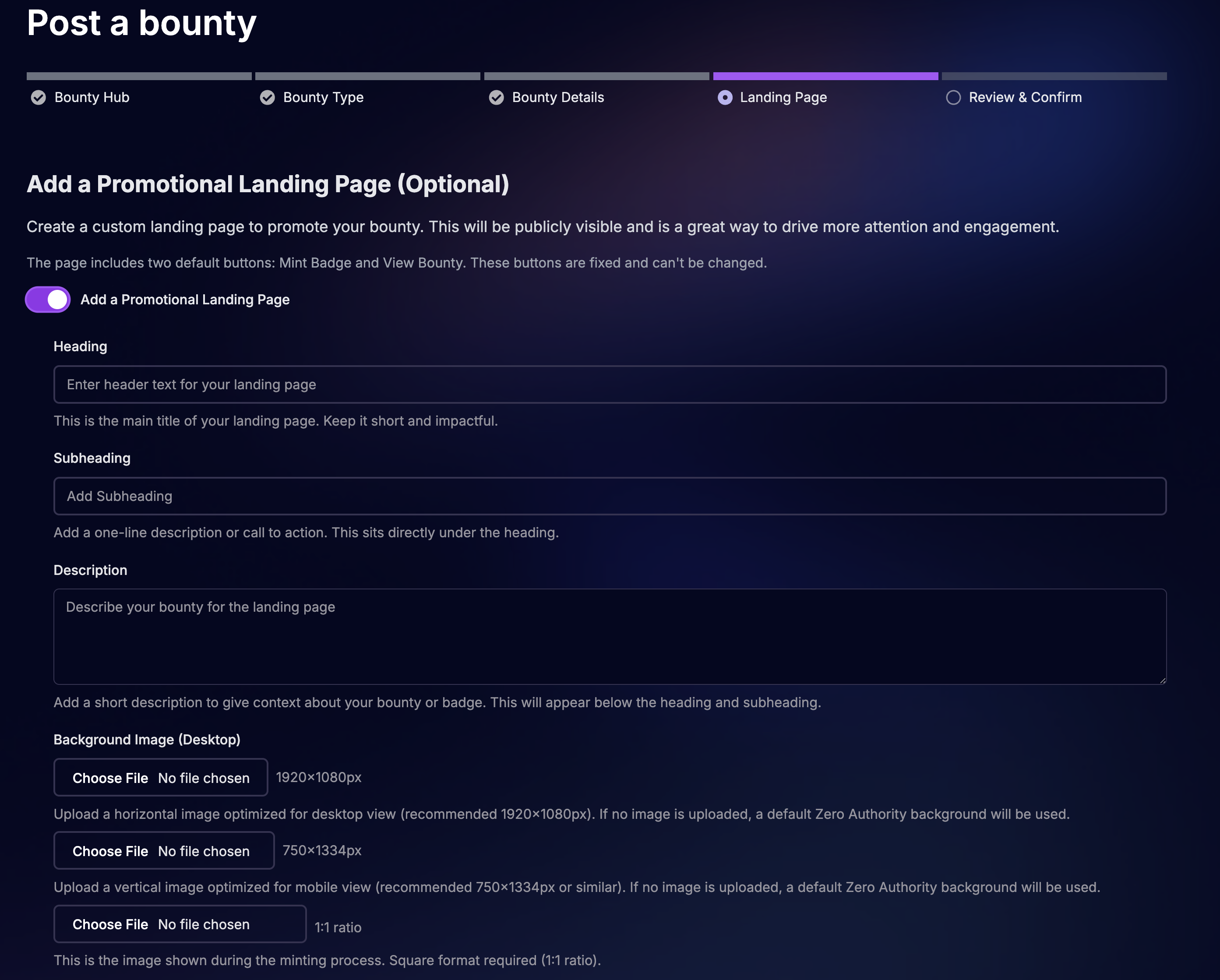
* On the landing page, you can upload a **custom badge** for participants to mint.
* If you do not upload a custom badge, the platform will automatically use the **default images** for both desktop and mobile landing pages.
#### 3. Minting a Badge
You can mint a badge in two ways:
* **When creating a bounty** → As the bounty creator, you may mint a badge during bounty setup.
* **When participating in a bounty** → As a participant, you may mint a badge linked to your contribution.
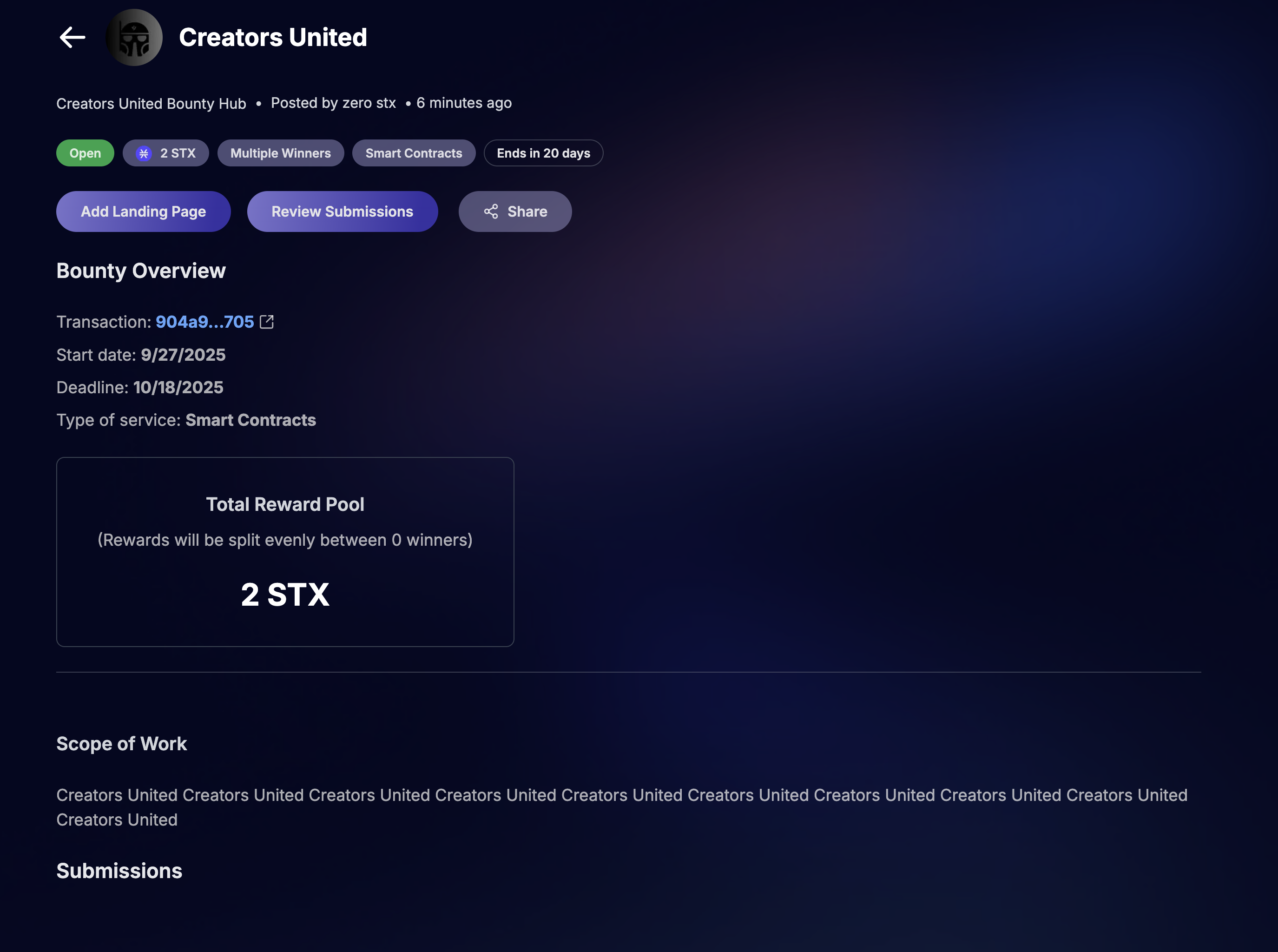
#### 4. Adding a Landing Page to an Existing Bounty
* Go to the bounty you already created.
* Select the **“Add Landing Page”** button.
* Enter the following details:
* **Heading** (main title for the page)
* **Subheading** (supporting line)
* **Description** (details about the bounty and context)
#### 5. Confirm & Publish
* Review the bounty details and associated badge.
* Save and publish to make the badge available for minting by all relevant participants.
***
#### Adding a Landing Page to a New Bounty
#### Adding a Landing Page to an Existing Bounty